

Twitter polls are one of the easiest ways to spark engagement—something every social media platform relies on to stay alive. They’re simple, quick to vote on, and deliver instant insights into your audience’s preferences.
Whether you’re gathering feedback, kicking off a debate, or just having fun, polls are an easy way to open the door to conversation.
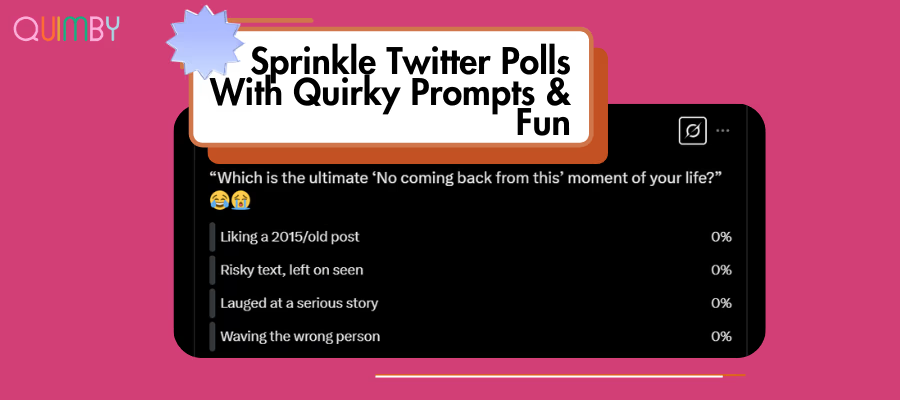
And yes, they’re fun. Your followers won’t be able to resist clicking in.
Banter aside, polls can be used to tap into trending topics and explore what your audience actually cares about. Whether it’s news, pop culture, industry convos, or niche opinions, polls help keep your content relevant and reactive.
What Is A Twitter Poll (X Polls)?
Twitter (X) polls let you ask a question with up to four answer options. They live in your timeline just like a normal post, but instead of likes or comments, people get to vote—and the results update in real time.
You can set the poll to stay live anywhere between 5 minutes and 7 days. Once it closes, the results are shown as a percentage breakdown for each option, and the tweet becomes static.
Like any tweet, people can reply, retweet, and like the poll. And if it takes off? You’ll get valuable engagement and visibility from a single post.
How To Create Polls On X (Twitter)?
Creating a poll on Twitter is easy and quick. Here’s the step-by-step guide:
Trace the “Poll” option on X.
- Open the X app and log in. You need an active account to post polls.
- Trace the “+” icon on the bottom right of the app. The screen will pop up a tweet composer that says, “What’s happening?” That’s a text box where people usually type their tweets.
- Below the text box, you will find a media option bar that allows people to add images, GIFs, Emojis, locations, etc. The same media bar also has the “Poll” option. It looks like bulletins/horizontal bar charts.
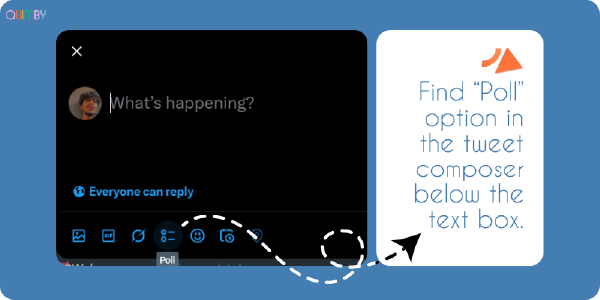
- That’s what we need to click to create our Twitter polls.
On the web, the tweet composer and media option bar are always visible at the top center of the home page. Other than the homepage, you can find the “POST” option in the menu on the left side of the screen.
Create The Poll
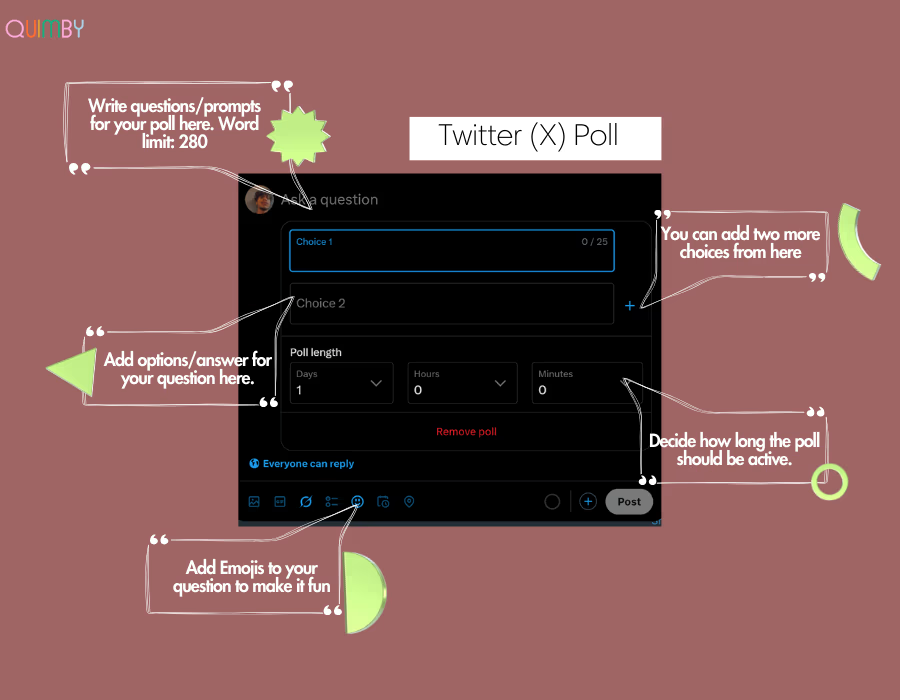
- Once you click the Twitter poll option, the tweet composer’s text box will switch to “Ask A Question.” That’s where you will type the question or a prompt for your poll.
- Along with the “Ask a Question” text box, it will give you two option fields. You can add two more options with the “+” icon present close to the second choice field.
- Below the choice field, you select poll length between days, hours, or minutes.
That’s it, you’re live!
Pro tip: You can also add emojis to your question to make it more engaging.
10+ Interactive X Poll Ideas To Have Your Followers HOOKED
Polls are easy to create. Making one that people actually engage with? That takes a little strategy and creativity. Here’s how to do it right.
1. Add a Meme
If you want to stop the scroll, lead with a laugh. Meme-based polls are irresistible and low-effort for your audience.
Example:
Which crypto move had you in shambles?
– Bought the dip, it dipped again
– Held through the bear market
– FOMO’d into a rug pull
– Sold too early ????
Meme polls work across all niches—even serious ones like finance or politics—because humor breaks through.
2. Ride the Current Buzz
2. Tap Into What’s Trending
If there’s a topic people are already talking about, that’s your in. Use polls to weigh in on current events, holidays, industry shifts, or pop culture moments. Timeliness = visibility.

3. Stir the Pot (Gently)
Spicy, but not unhinged. Ask questions that spark discussion or opposing opinions, just keep it respectful. People love sharing hot takes when the stakes are low.
Example:
Which is worse?
– Cancel culture
– Free speech going too far
– Both need balance
4. Let People Predict
From award shows to elections to product launches, people love guessing the outcome. Polls that invite predictions lead to repeat engagement when followers check back for results.
5. Ask for Advice
Whether you’re launching a new product or trying to decide what content to post next, your followers want to weigh in. Use polls to make them feel involved and valued.
Example:
What matters most when choosing our product?
– Quality & durability
– Sustainability
– Price
– Design
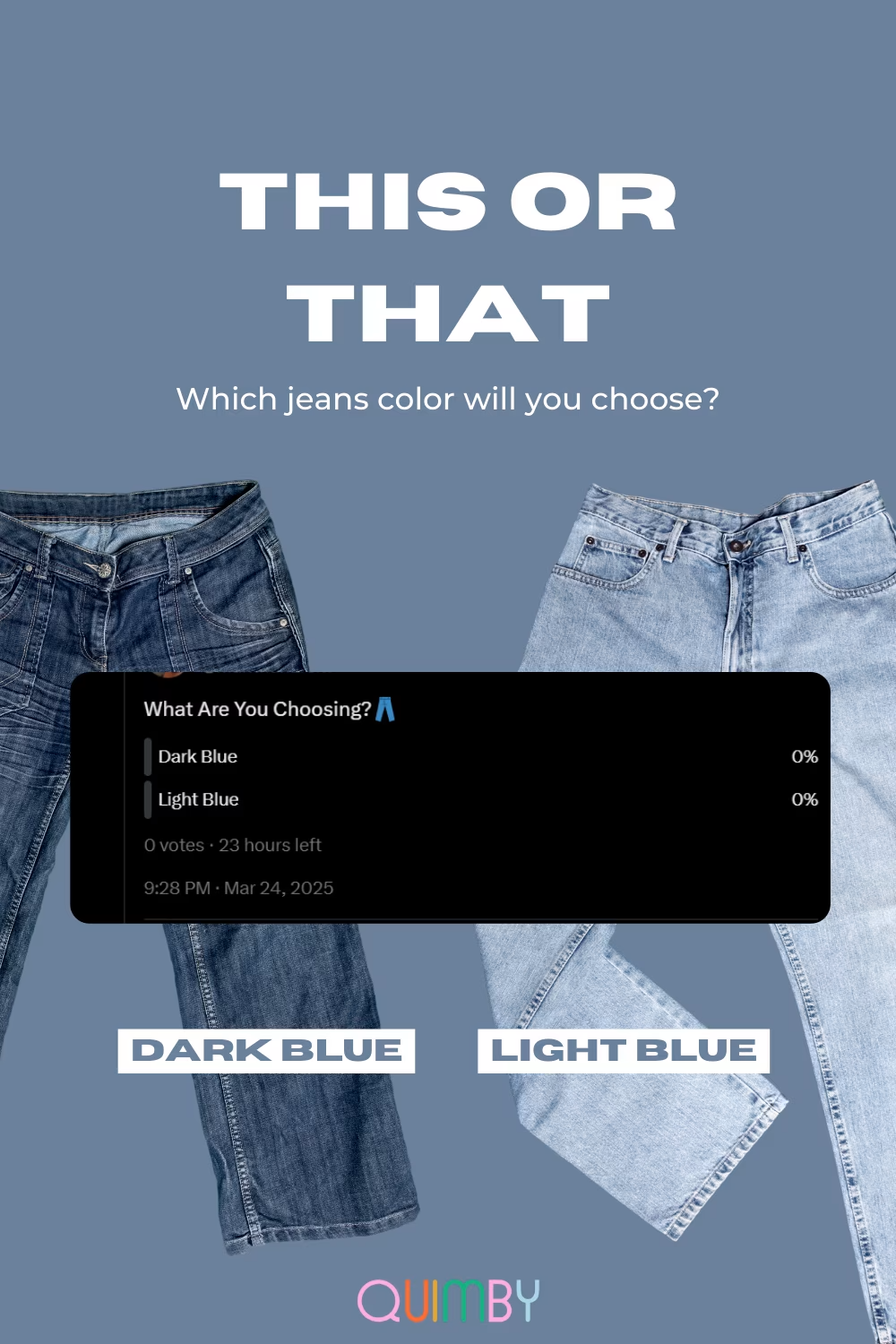
You can also specifically create a poll on a new launch instead of the whole brand.
6. Invite Critique (Yes, Really)
Sometimes the best feedback comes from your own audience. A well-worded poll asking what you could do better can build trust and reveal blind spots.
7. Use Polls for Quick Market Research
Want to know what your audience is into lately? Ask directly. Whether it’s product features, content formats, or current trends, a casual poll can give you fast data.
(Example) A completely hypothetical question: If we were to hypothetically create a new article, would people “hypothetically” want to bring skinny jeans back in the game?
—Skinny Jeans, YAYYY.
—We’ll boycott you on a personal level if you ever release skinny jeans.
8. Pair Polls with Visuals
X doesn’t allow polls + media in the same tweet, but there’s a workaround:
Post a thread.
- Tweet 1 = engaging graphic
- Tweet 2 = the poll
Bonus = keep the conversation going in replies
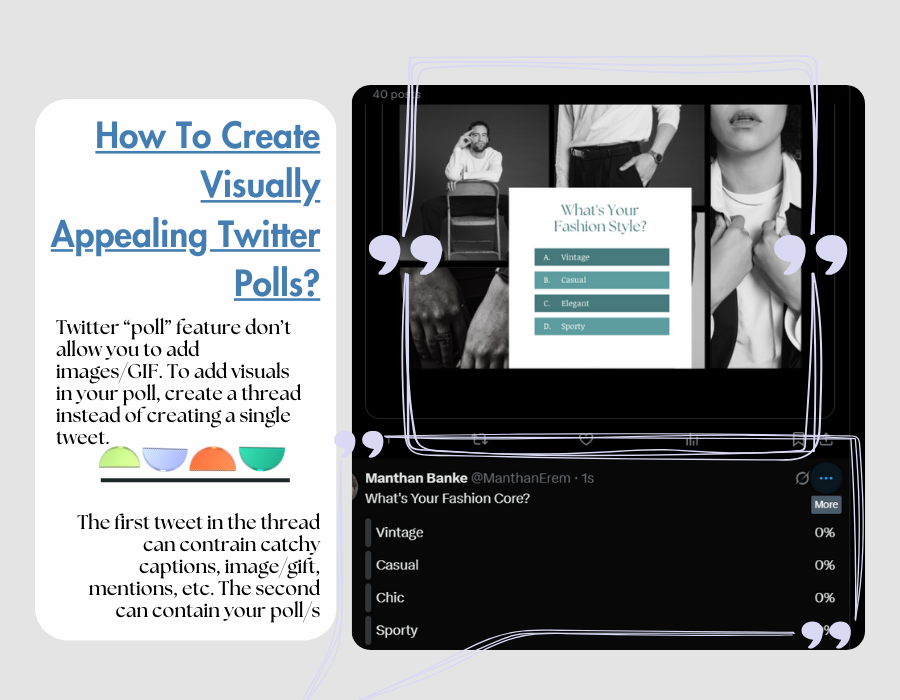
This gives your poll a visual boost and stops the scroll.
9. Run a Tournament
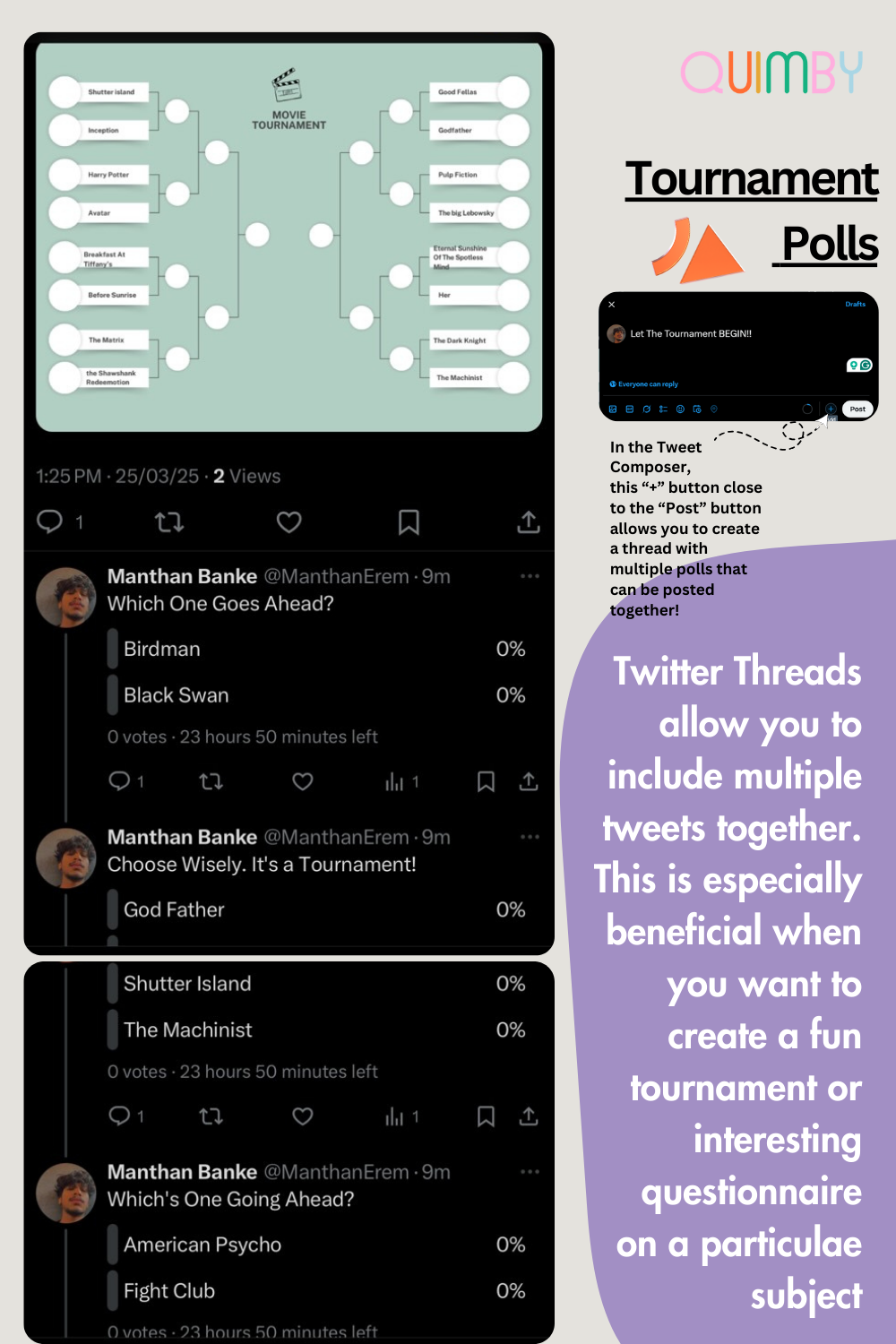
If you’ve got a passionate audience, let them vote bracket-style to determine the best of the best. Think: “Ultimate rom-com,” “Best niche fragrance,” “Top 00s pop song.” It’s more effort, but people love a finale.
10. Use Hashtags (Sparingly)
Hashtags still matter for discoverability. Stick to 1–3 niche-relevant tags to boost reach without cluttering your post.
For example, if your niche is cinema, you might use #Cinema for the broad category, #XYZmovie (directly addressing the movie), and #XYZgenre (addressing the genre).
11. Cross-Promote
Share your X polls on other platforms (IG Stories, TikTok, etc.) to drive traffic. Make the CTA clear and the format eye-catching.
12. Boost With Ads (If It Makes Sense)
If your poll supports a larger campaign, Twitter Ads can help you reach beyond your followers and attract new engagement. Just make sure the poll is tied to a real goal (like lead gen, content validation, or sentiment testing).
Growing on social media (especially Twitter) can be confusing, but it doesn’t have to! We know what works, so you can skip the guesswork and start seeing real engagement with our Social Media Strategic Campaigns. FIND THEM HERE!
Frequently Asked Questions
Here are all the questions and answers to clear out all your doubts once and for all.
-
How Many Twitter Polls To Upload Monthly?
Anywhere between 2-6 polls per month should be your ideal frequency. If your account drives a lot of engagement from polls, it wouldn’t hurt to increase the number.
-
Do Twitter polls increase engagement?
YES! With the right questions, your polls can turn into a sweet honey trap, luring followers in and keeping them hooked. Your goal is to create polls that are fun and engaging. How to do that? We have added all the tricks in this article.
-
Do Twitter Polls Show Who Voted?
No, Twitter does not show who voted on your poll. You can see the total number of votes, but the individual votes are anonymous.
-
How To Make A Twitter Poll With Pictures
Twitter Poll feature does not allow adding images directly. But you can create a thread with two tweets: one holding picture/s and another holding a Twitter poll.
-
How Do I Track Twitter Poll Engagement?
Check Twitter analytics to see metrics like impressions, engagement, and engagement rate. If your Twitter poll is a part of an ad, you can track it on Twitter Ads Manager.